Settings & Configuration [KH,YH]
Airlines [KH]
Manage alrline
Airline Management is a feature that centrally manages multiple airlines and automatically configures codes, currencies, and time zones. Existing airlines are already registered, and administrators can adjust the settings as needed.
Airline Parameters
In Airline Management, “Airline Parameters” provides a flexible setup that maintains organization-wide default values while allowing airline-specific settings, such as booking periods and weight tolerances, to be overridden as needed.
Time Limits
In Airline Management, “Time Limits” allows connection times to be set as global defaults while also enabling overrides for specific stations or airlines. This is particularly important for interline connections and can be flexibly adjusted as needed.
Flights and Aircraft [KH]
Flight Scheduler
In “Flight Scheduler” under Flights & Aircraft, users can manage both one-time and scheduled flights, with bulk registration also available via Excel import. The feature is still under development and continues to be expanded flexibly.
Tail Number Set Up
In “Tail Number Setup,” users can view and manage the tail numbers assigned to each aircraft, with default values also provided. It is important to use the correct number when registering a flight, and attention should be paid to the required input format.
Aircraft Set Up
In “Aircraft Setup,” users can configure detailed aircraft and ULD specifications, including capacity, weight balance, and ULD compatibility. Maintaining data quality, accounting for exceptional cases, and coordinating closely with the operations team are essential.
AWB and Bookings [KH]
Priduct Types
Product Type is a core setting used to define and classify different types of cargo. It serves as a foundation for accurate and flexible air cargo operations by integrating with AWB number management and booking data.
Commodity and Handing Codes
Commodity & Handling Codes is a system centered around automatic labeling based on cargo codes and flexible embargo settings. It enables consistent management of cargo handling restrictions throughout the entire process, from booking to acceptance.
Air Waybill Statuses +
Status & Milestone Mapping
Air Waybill Statuses provides a system for tracking cargo progress through different stages. By combining frequently updated statuses with key milestones, it enables clear management of the entire process from booking to final delivery.
Booking Managament
Booking Management streamlines the booking approval process while allowing flexible control through automatic confirmation based on capacity thresholds and priority agent settings.
Stock Range Settings
Stock Range Settings defines the overall AWB number ranges for an airline and assigns those ranges to individual agents. It provides a structured and secure foundation for managing AWB numbers systematically.
Rounding & Formatting
Rounding & Formatting is designed to standardize the management of weight units and decimal precision. It maintains full precision internally while applying consistent rounding rules for external displays and integrations, helping to prevent discrepancies and confusion.
Shipment Priority
Shipment Priority is a system that assigns weights from 1 to 99 based on factors such as customer, product, and delay status to optimize the processing order of shipments. It balances fairness and flexibility in booking management.
Commercial [KH]
Agent Configurations
Agent Configurations provides a flexible framework for configuring booking restrictions, station/region controls, and master/sub-agent structures for each agent. It serves as a foundation for airlines to manage operational rules for each partner in detail.
Penalty Charges
Penalty Charge refers to additional fees imposed for violations of booking or operational rules. It provides a mechanism for airlines to regulate the behavior of agents and customers while maintaining the integrity of the system.
Embargo Settings
Embargo Settings is a feature that allows flexible configuration of cargo-specific transportation restrictions and applies checks at both the booking and acceptance stages. It is an important function for airlines to ensure safety and compliance.
Transactional Emails
Transactional Emails is a feature that automatically notifies agents and customers based on AWB status triggers. It streamlines progress updates and helps eliminate delays and manual effort in information sharing.
Rate Plan Model
Rate Plan Model is a flexible framework for designing air cargo pricing structures by combining routes, currencies, pricing models, and weight tiers. It supports diverse customer needs through two pricing methods: Volume-based and Graduated.
Payment & accounting [YH]
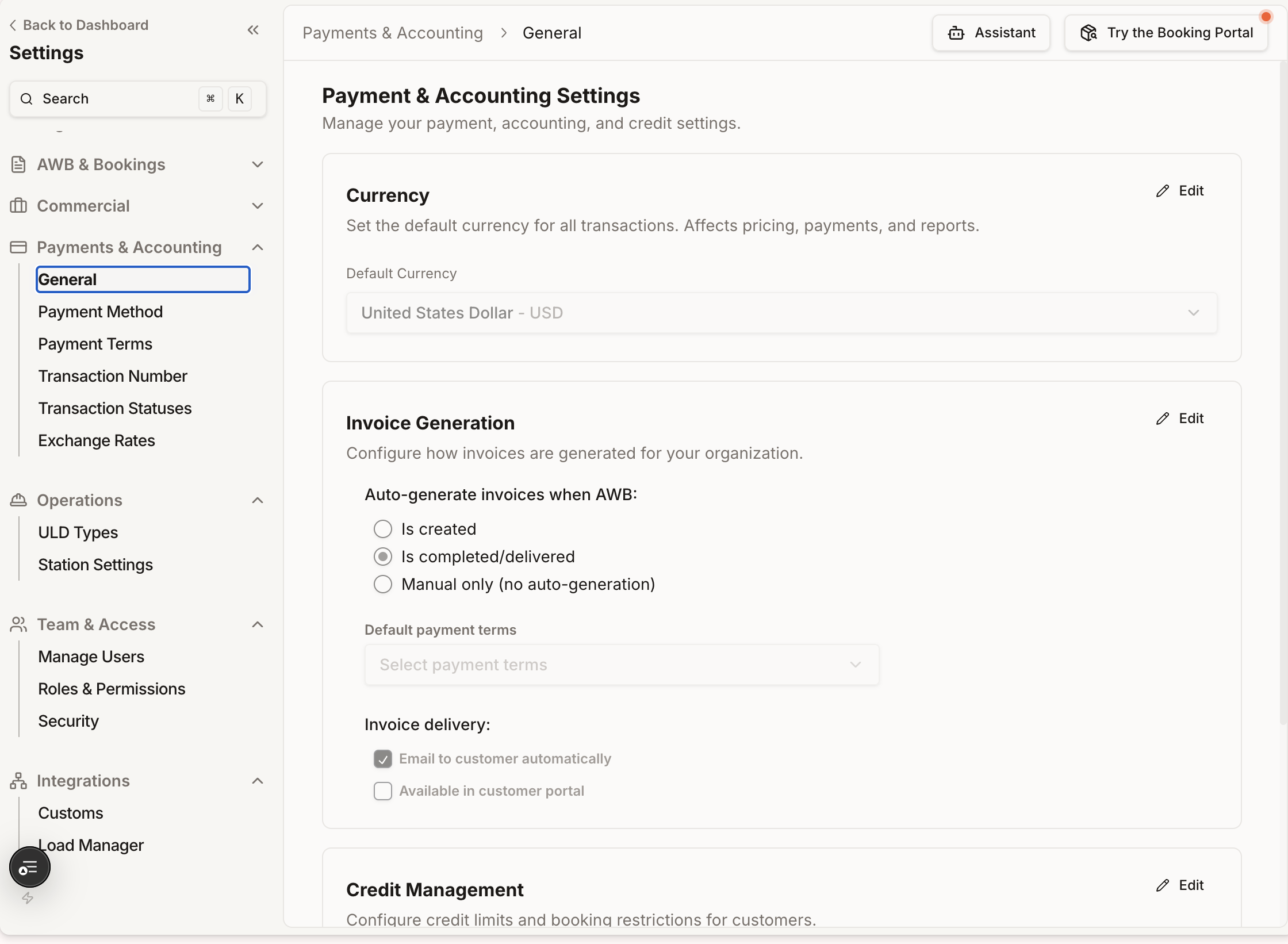
The Settings in the Payment & Accounting section essentially define the rules for "how money flows in and out and how it is recorded" - from the default currency, how invoices are generated, how credit limits are controlled, to payment methods, payment terms, document numbers and statuses, and how multi-currency exchange rates are converted, the entire set is configured here.
Operations [YH]
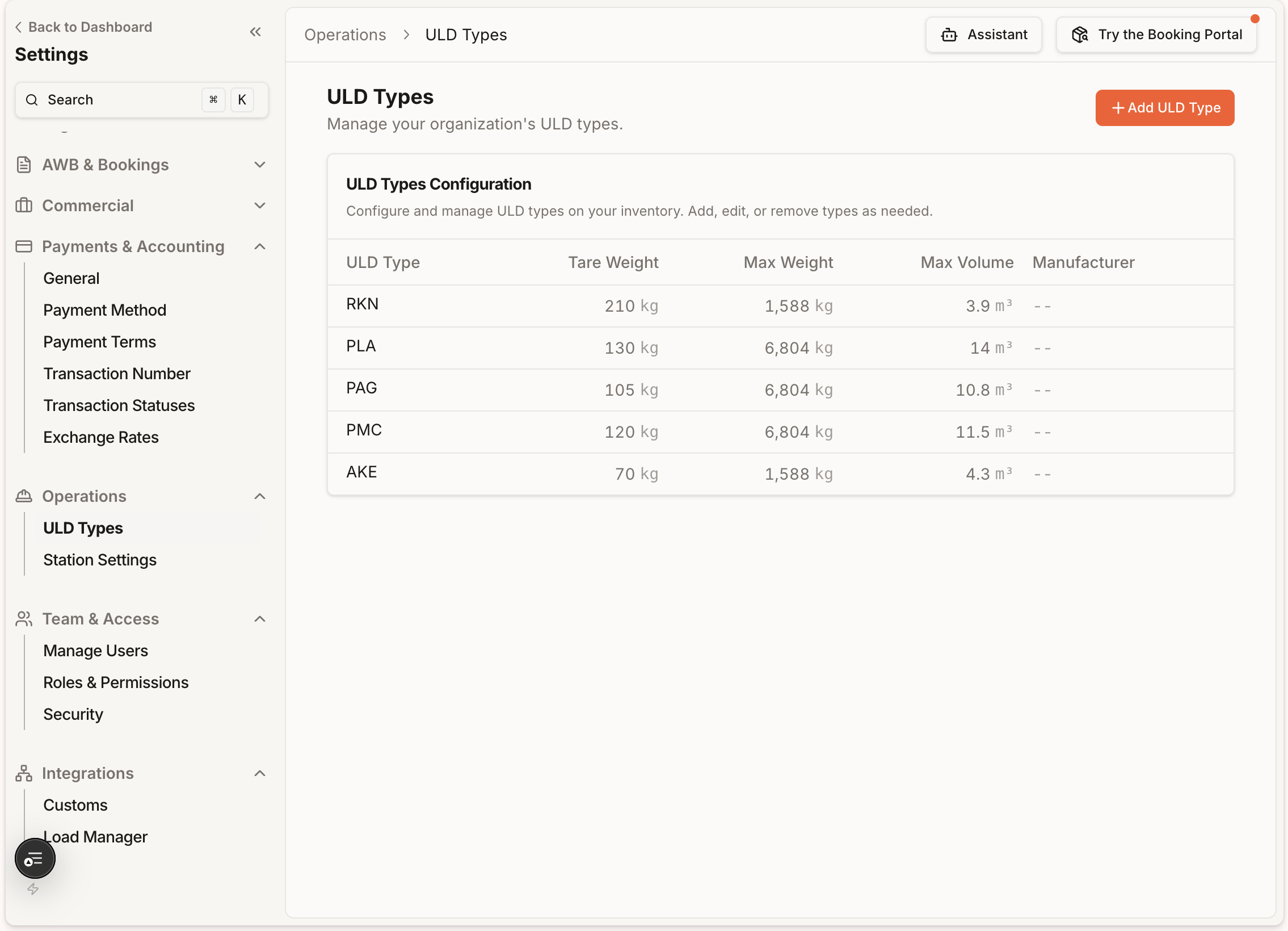
ULD Types are the main data at the "container" level (board box model and its physical specifications), while Station Settings are the main data at the "operation process" level (reasons for unloading and standardization of board construction status nodes).
Team & access [YH]
Team & Access controls who can log into Belli and what they're allowed to do there — Manage Users assigns accounts to airlines/stations, Roles & Permissions defines granular per-module permissions for each role, and Security adds org-wide safeguards like auto-deactivation and IP-restricted payment approvals.
Integrations [YH]
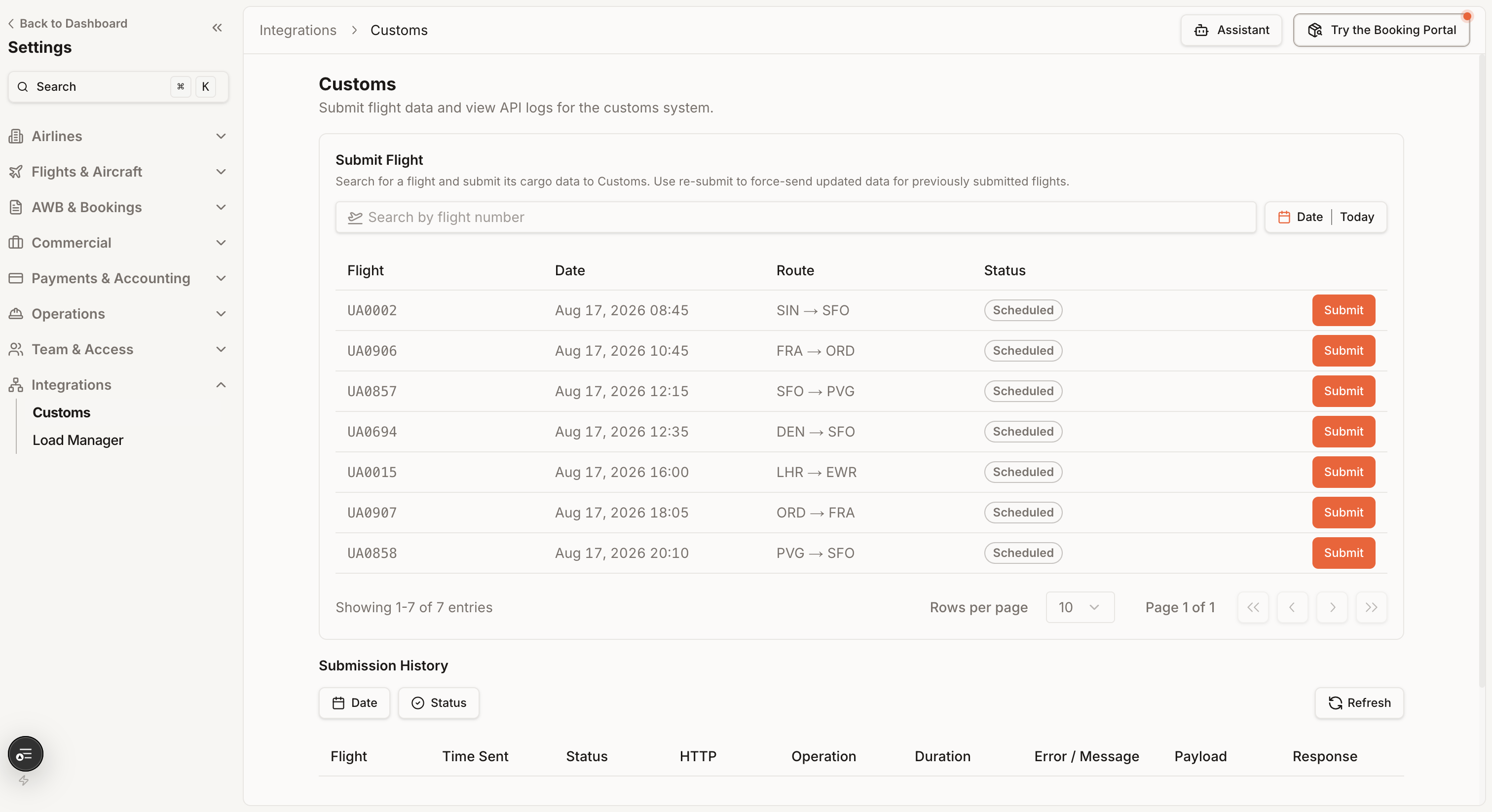
Integrations currently focuses on two external data links: one is Customs for customs compliance declaration, and the other is Load Manager for load balancing system integration.